

LoopNet and CoStar listings need an intentional main image and an ordered property set covering identity, frontage, access, exteriors, interiors, functional areas and context. Their current help workflow supports property photos, floor plans and videos, but no public source establishes one universal photo count or pixel rule for every ordinary Marketing Center account.
Build the Southwest Florida capture with TrueVision’s commercial property photography in Naples, then add commercial real estate drone photography where site context matters. Our restaurant and hospitality photography guide covers specialized assets, while property-manager photography planning covers recurring records. Estero-area listings can use Estero photography coverage; the virtual tours and floor-plan service and published pricing page complete the media path.
What does LoopNet’s current photo workflow require?
The official LoopNet help workflow places photos, floor plans and videos under “Property Photos, Floor Plans, & Videos” in Marketing Center. Users select the listing, manage attachments and upload files or choose images from the CoStar library. Lease listings can carry documents at property or space level, while condominium documents are handled at unit level.
The separate main-photo instructions say to select the image and drag it into the first position until it is marked as the Main Photo. That makes image order a platform action, not merely a photography decision. Deliver a clear hero recommendation, but let the authorized listing user make the final selection in the account.
Which photographs should a CRE listing include?
| Order | Coverage | What it should answer |
|---|---|---|
| 1 | Primary exterior or strongest defining view | What is the asset and why should I open the listing? |
| 2–4 | Frontage, access, signage and site overview | Where is it and how does arrival work? |
| Next | Representative interiors and functional areas | How is the usable space configured and presented? |
| Then | Parking, loading, amenities and exterior details | How does the property function? |
| Supporting | Aerial context, floor plans, video and verified diagrams | What relationships are difficult to explain in stills? |

Do LoopNet and CoStar publish universal image dimensions?
The current public help pages reviewed for this article explain where to upload and how to select the main image; they do not publish one ordinary-account rule for photo count, aspect ratio or pixel dimensions. Do not let an old blog post become the specification. Check the current Marketing Center interface or account support at upload time, and retain high-resolution masters so exports can be resized without rebuilding the shoot.
How should aerials, floor plans and video fit the listing?
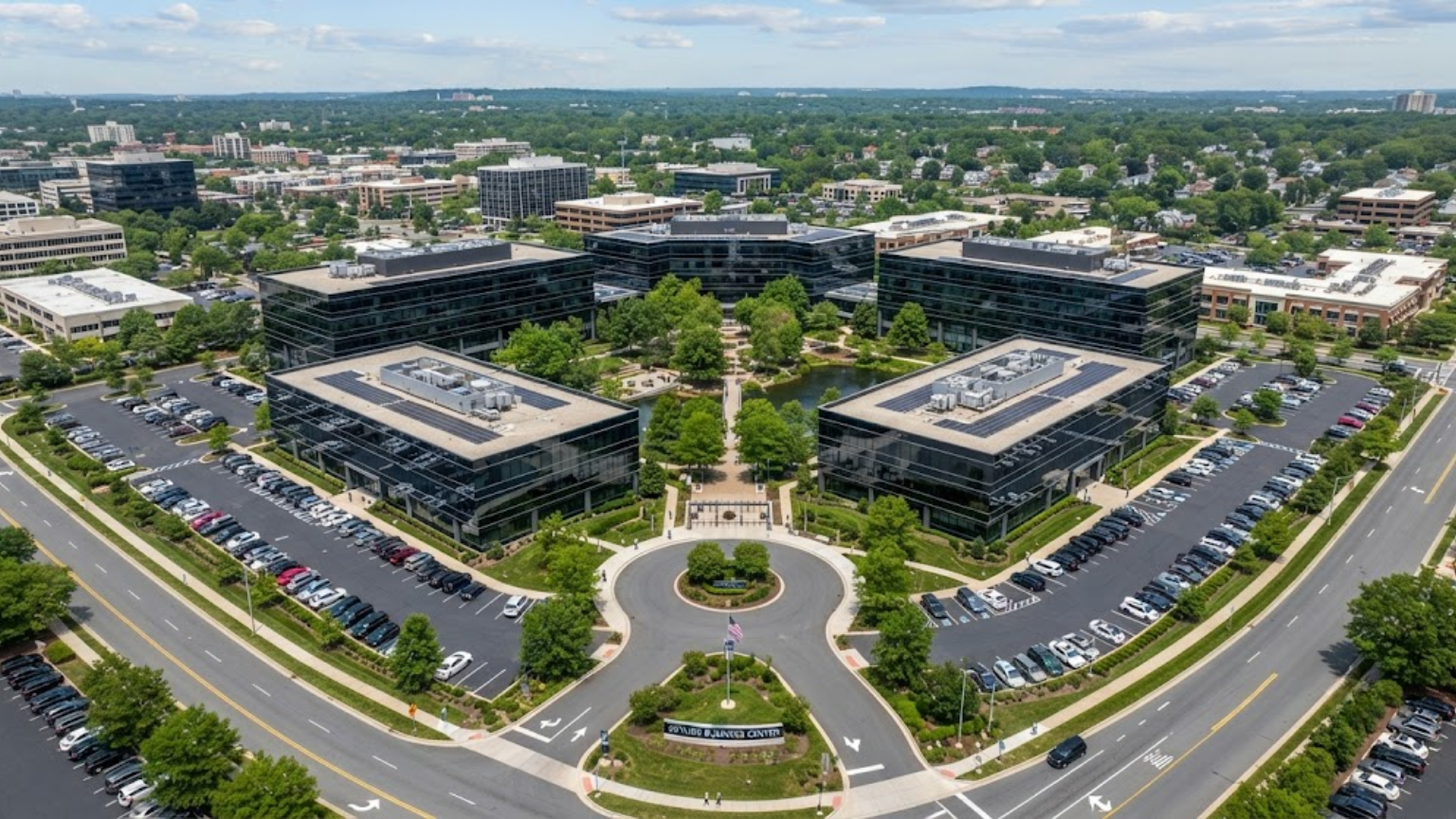
The official CoStar Marketing Center guide lists professional photo shoots, aerial drone photography, 3D virtual tours and HD video tours as distinct media features associated with listing exposure levels. Use each format for a different question: photos for fast comparison, aerials for site context, floor plans for layout, tours for remote exploration and video for sequence.
Aerial coverage remains accurate and useful rather than decorative. Continue with drone versus aerial photography for listings and the listing altitude and coverage guide before commissioning a wide shot that makes the property unreadably small.
Who must have the right to upload CRE photographs?
LoopNet’s published terms place responsibility on the submitting licensee to provide accurate listing material and represent that it has the right and authority to submit the listing and images. Obtain clear written photography usage terms before upload, and avoid reusing files from another party merely because those images already appear online.
LoopNet and CoStar photography FAQs
How many photos should a LoopNet listing have?
No current public help source reviewed here establishes one universal count for every listing and account. Include enough ordered images to explain identity, access, exterior, interior, function and context, then verify current account constraints in Marketing Center.
How do I choose the main photo on LoopNet?
In Marketing Center, manage the listing attachments, select the desired image and move it to the first position until the interface marks it as the Main Photo.
Can a LoopNet listing include floor plans and video?
The current official upload workflow groups property photos, floor plans and videos together. Available features and exposure can vary, so confirm what the specific account and listing level supports.
Can I upload photographs found on another listing?
Only if the authorized listing party has the necessary rights and authority. Online availability is not permission. Obtain written usage terms from the rights holder before submitting imagery.
Regulatory, platform, safety, and permitting sources were checked on August 5, 2026. Confirm site- and account-specific requirements before capture or upload.
Deliver a CRE image set that is ordered for both the platform and the decision-maker. Call 239-420-0789, request a photography quote, or compare our published photography packages and pricing.
